
Standard “Comfort” AC: Designed for people. SHR: 0.65-0.75. Spends 25-35% of capacity on humidity removal.
Precision Climate Control for Mission-Critical Data Assets
Critical Infrastructure & Server Cooling
Your servers don't care about comfort. They care about continuous, precisely controlled cooling that removes heat efficiently without creating the humidity problems that destroy electronics.
Standard air conditioning—the kind designed to make people comfortable—is the wrong tool for this job. It wastes capacity on humidity removal your server room doesn't need, fails during winter months when your servers still run hot, and provides zero redundancy when equipment fails.
Get QuoteThe Physics Problem: Comfort Cooling vs. Process Cooling
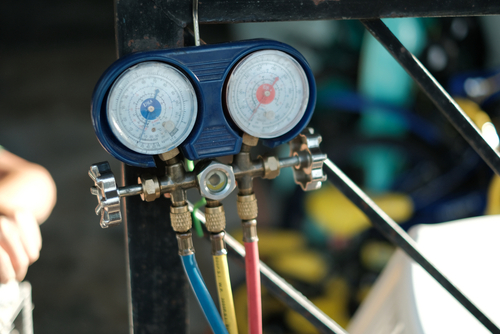
Every AC system divides cooling capacity between removing heat (sensible) and removing humidity (latent). The Sensible Heat Ratio (SHR) determines what the system is optimized for.
The Hidden Danger: Over-Dehumidification
When a comfort cooling system runs continuously in a server room, it keeps removing moisture from already-dry air. Relative humidity drops below 30%—sometimes below 20%. At these levels, static electricity becomes a serious threat. A single static discharge can corrupt data, damage RAM, or destroy sensitive components. The "solution" you installed is actively threatening your equipment.
Why Your Server Room AC Fails Every Winter
Servers generate heat 24/7/365. They don't care that it's 40°F outside. But standard AC equipment wasn't designed for continuous cold-weather operation.
Cold-Weather AC Failure Sequence:
Low-Ambient Solutions:
Baytown's Shoulder Season Trap:
Spring and fall bring extended periods of 50-65°F—exactly where standard equipment struggles most. Not cold enough for free cooling, too cold for standard AC cycles. This is when we see the most server room failures from contractors who didn't understand the application.
Eliminating Single Points of Failure
A single cooling system—no matter how reliable—is a single point of failure. When it fails, server room temperature rises immediately. Dense installations can reach damaging temps within 10-15 minutes.
The Math of Downtime
- Server hardware at risk: $30,000-100,000
- Data recovery costs: $10,000-50,000+
- Business interruption: 25 employees × $50/hour × downtime hours
- A weekend failure easily exceeds $100,000 total impact
N+1 Redundancy
Enough capacity for full load (N), plus one additional unit (+1). If any unit fails, remaining capacity handles full load while repairs are made.
Lead/Lag Control Logic
- Lead/Lag Rotation: Units swap roles automatically (typically every 24 hours) for equal runtime
- Automatic Failover: Temperature rise triggers lag unit instantly; alert sent to responsible parties
- Manual Override: Maintenance on one unit while other carries load—no cooling interruption
Example: 6-Ton Server Room
Required capacity: 6 tons. N+1 Design: Two 6-ton units (or three 3-ton units). Normal Operation: Units share load, each at partial capacity (longer life). Failure Mode: Surviving unit handles full load. Alert triggered. No temperature excursion.
The Goldilocks Zone: Not Too Wet, Not Too Dry
Our Humidity Control Approach:
Precision cooling systems include active humidity control—adding moisture when needed (rare in Baytown) and removing it when necessary. We verify humidity during commissioning and include RH monitoring in maintenance. If humidity drifts outside range, we identify and correct the cause before equipment damage occurs.
Hot Aisle, Cold Aisle: Directing Cooling Where It Matters
Server racks draw air from front, exhaust heat from rear. Arranging racks with fronts facing each other creates distinct zones: Cold Aisle (intake supply) and Hot Aisle (exhaust return).
Benefits of Proper Airflow:
We Consult on Rack Placement:
When designing new server room cooling, we consider rack layout and airflow—not just equipment sizing. For existing installations with hot spot problems, we can often improve performance through airflow modification and strategic repositioning without adding cooling capacity.
Keeping Dust Out of Your Data
Dust is an insulator. When it coats heatsinks and air passages, cooling efficiency drops. Servers respond by increasing fan speed (noise, energy) and eventually throttling processor performance.
MERV 8
Minimum acceptable
MERV 11-13
Recommended for most server rooms
HEPA (MERV 17+)
Required for cleanroom-adjacent applications
Baytown Industrial Air Quality:
Proximity to petrochemical facilities and the Ship Channel means Baytown air carries more particulates than typical suburban environments. We factor this into filter selection and replacement schedules. Standard "office building" filtration assumptions don't apply here.
Knowing Before It's Too Late
The best cooling system can't protect equipment if no one knows it's failing. Temperature monitoring and alerting close the loop between equipment operation and human response.
Monitoring Fundamentals:
Response Time Matters:
A server room at 72°F with a 10-ton heat load and no cooling will reach 90°F in approximately 10-15 minutes. Monitoring that alerts within 2 minutes gives time to respond. Monitoring that alerts after 30 minutes gives time to assess the damage.
Asked Questions
Can I just use a mini-split for my server closet?
Not recommended for anything mission-critical. Mini-splits are comfort cooling with low SHR, no low-ambient controls, and zero redundancy. For critical data, purpose-built server room cooling is appropriate.
What's the difference between CRAC and standard AC?
CRAC (Computer Room Air Conditioner) units feature high SHR, precise humidity control, low-ambient capability, and better filtration. Standard AC is for people comfort—different application, different equipment.
How do I size server room cooling?
Based on actual heat load (total watts from equipment), not square footage. We calculate from nameplates, UPS sizing, and power data—not “tons per square foot” guesswork.
What happens if cooling fails?
Temperature rises based on heat load density. Dense installations reach damaging temps (>90°F) in 10-15 minutes. Equipment thermal-throttles, then shuts down. If temps exceed limits before shutdown, permanent damage occurs.
Why do I need cooling in winter?
Servers generate heat regardless of outdoor temperature. Standard AC can’t run below 55-65°F. Low-ambient controls extend operating range for year-round cooling.
Can you add redundancy to existing single-unit installation?
Usually yes. We can add a second unit with lead/lag control for N+1 redundancy. Requires electrical capacity assessment and physical space consideration.
Let's Protect Your Critical Infrastructure
Whether building a new server room, concerned about existing cooling, or recovering from a temperature-related failure, we'll assess your actual heat load, evaluate redundancy requirements, and recommend equipment matching your criticality level.